HighLight
The Basics of D3.js
The origin of the library:
M. Bostock, V. Ogievetsky and J. Heer, “D³ Data-Driven Documents,” in IEEE Transactions on Visualization and Computer Graphics, vol. 17, no. 12, pp. 2301-2309, Dec. 2011, doi: 10.1109/TVCG.2011.185.

Overview
使用 JavaScript 修改 DOM 元素的传统方法:
var paragraphs = document.getElementsByTagName("p");
for (var i = 0; i < paragraphs.length; i++) {
  var paragraph = paragraphs.item(i);
  paragraph.style.setProperty("color", "blue", null);
}
使用 D3 达到同样的效果
d3.selectAll("p").style("color", "blue");
d3-selection 对 DOM 元素进行了封装,支持方法链,接口更加友好
数据绑定是 D3 的核心功能
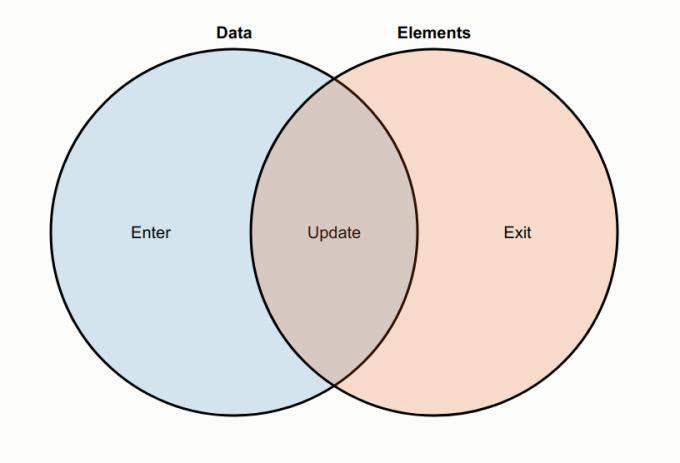
d3.select("body")
  .selectAll("p")
  .data([4, 8, 15, 16, 23, 42])
  .enter().append("p")
    .text(function(d) { return "I’m number " + d + "!"; });
D3 包含多个模块,可单独使用,提供了强大的可视化能力
The Basics of Vega-Lite
The origin of the library:
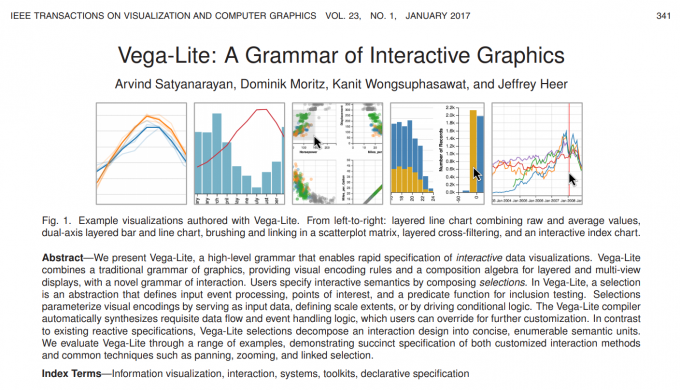
A. Satyanarayan, D. Moritz, K. Wongsuphasawat and J. Heer, “Vega-Lite: A Grammar of Interactive Graphics,” in IEEE Transactions on Visualization and Computer Graphics, vol. 23, no. 1, pp. 341-350, Jan. 2017, doi: 10.1109/TVCG.2016.2599030.
Overview
Vega-Lite 使用声明式语法
1 | |
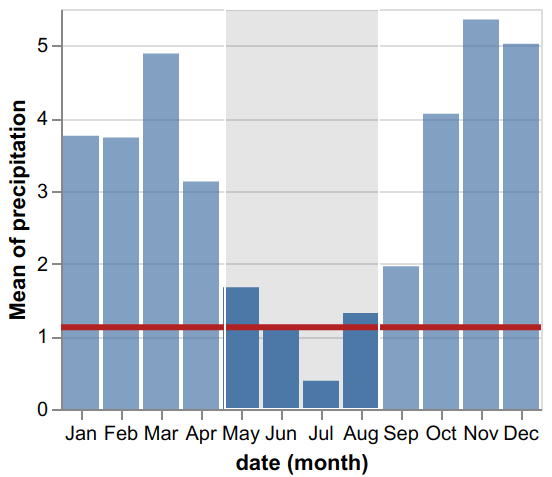
- Data: 表格型数据
- Mark: 可视化元素
- Encoding: 数据到可视化的映射
- Transform: 数据转换(聚合、过滤等操作)
- View Composition: 多视图
- Selection: 交互
Vega-Embed: Vega-Lite 与 D3, Echarts 等一起使用
Comparison
https://vega.github.io/vega/about/vega-and-d3/